Catalog categories
The exact data, credentials, and product consumers differ by connector. Review the connector’s current setup screen before granting access.
Incident Knowledge support
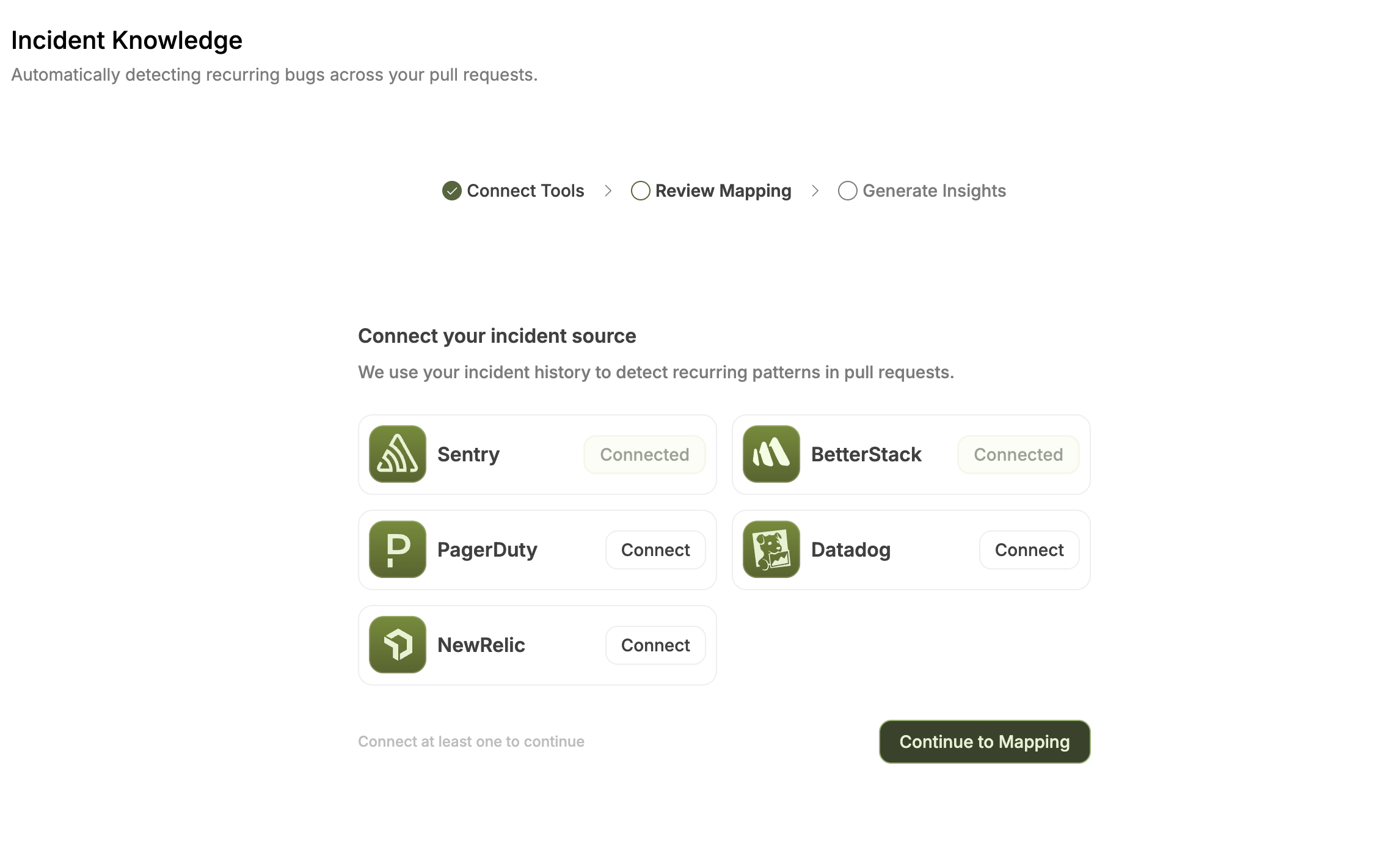
The current Incident Knowledge guide documents these sources:
Do not assume that Axiom, Incident.io, Grafana, cloud-log, ELK, or Sumo Logic connector availability makes that source usable by Incident Knowledge.
Connect a catalog connector
- Open Connectors → Observability.
- Select Connect, Configure, or View details as shown.
- Review the requested credential and scope.
- Start with the narrowest approved projects, services, indexes, or accounts.
- Confirm the expected connection state.
- Run a read-only comparison with the source system.
Configure Incident Knowledge
- Open Code Reliability → Incident Knowledge.
- If the feature is available but not configured, select Setup Incident Tracking.
- Choose one of the currently documented Incident Knowledge sources.
- Enter the credential required by that source.
- Continue to mapping.
- Map supported named sources to repositories; leave irrelevant sources unmapped.
- Confirm the mapping to start ingestion.
Data hygiene
Production logs can contain secrets, tokens, personal data, or customer payloads. Redact at the source, use the narrowest source scope, and confirm retention and regional policy before connecting.Verify
- The connector or Incident Knowledge setup reports the expected connected state.
- Only intended projects, services, monitors, or accounts are visible.
- Supported source-to-repository mappings are correct.
- PagerDuty is not presented as a per-source repository mapping.
- One detection or incident matches source evidence.
- Revocation stops future synchronization.