Verified workspace controls
The current app exposes Member and Admin workspace roles.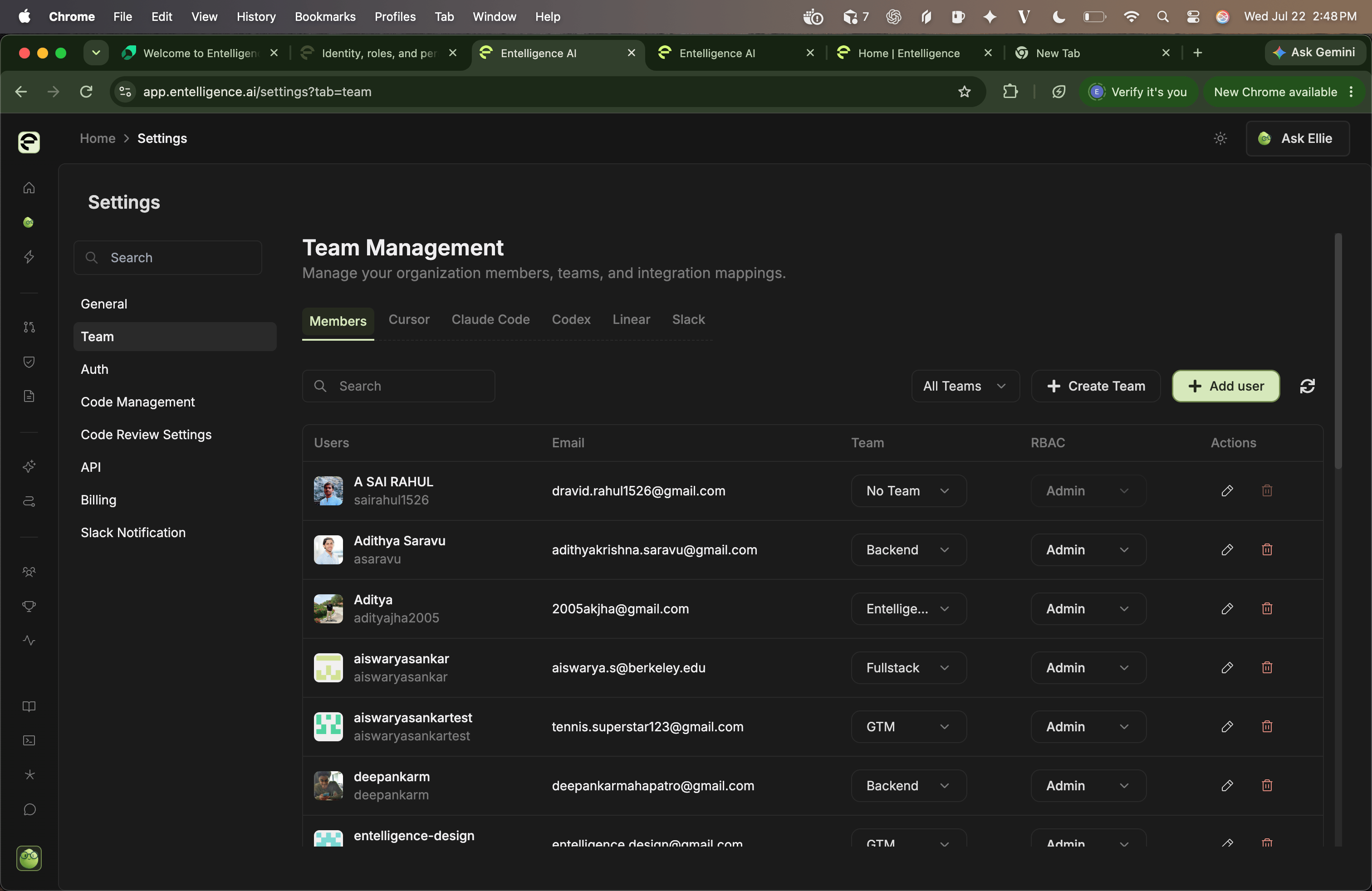
- Settings → Team for members, teams, credentials, and mappings
- Settings → Auth for source-control authentication
- Settings → Code Management for repositories
- Settings → Code Review Settings for review behavior and context
- Settings → API for CLI and MCP keys
- Settings → Billing
- Settings → Slack Notification
Permission layers
- Entelligence workspace membership
- Member or Admin role
- Connected-provider authorization
- Repository, organization, team, project, channel, or service scope
- Identity and resource mappings
- Product-level configuration
- Confirmation or approval for a write
- Provider-side policy
High-risk actions
Limit, assign an owner, and test:- Inviting Admins or sharing an Admin invite link
- Creating, rotating, or deleting API keys
- Saving or replacing provider credentials
- Expanding repository or organization scope
- Enabling cross-repository context
- Approving pull requests or triggering fixes
- Creating automations with external writes
- Purchasing credits or enabling auto top-up
- Removing members, repositories, connectors, mappings, or data
SSO, SCIM, MFA, and sessions
The audited settings UI does not expose self-service SSO/SAML, SCIM, domain enforcement, or session-policy controls. If required, confirm the purchased capability and operating procedure with Entelligence before documenting it as available. Confirm:- Supported identity provider and protocol
- Domain verification and enforcement
- Break-glass access
- JIT provisioning
- Group-to-role mapping
- SCIM create, update, suspend, and delete behavior
- MFA interaction
- Session lifetime and revocation
- Audit events and export
Offboarding exercise
- Identify owned keys, provider credentials, teams, mappings, automations, and billing responsibilities.
- Transfer ownership.
- Disable the member and remove external mappings.
- Revoke or rotate shared credentials where needed.
- Verify workspace and provider access stops.
- Confirm Slack and automation delivery behavior.
- Record the treatment of historical analytics.