Prerequisites
- Incident Knowledge is enabled for the organization.
- An administrator can create the required source credential.
- The target repositories are already connected to Entelligence with PR review installed.
- A pilot source and repository are approved.
Supported sources
The current Incident Knowledge guide documents: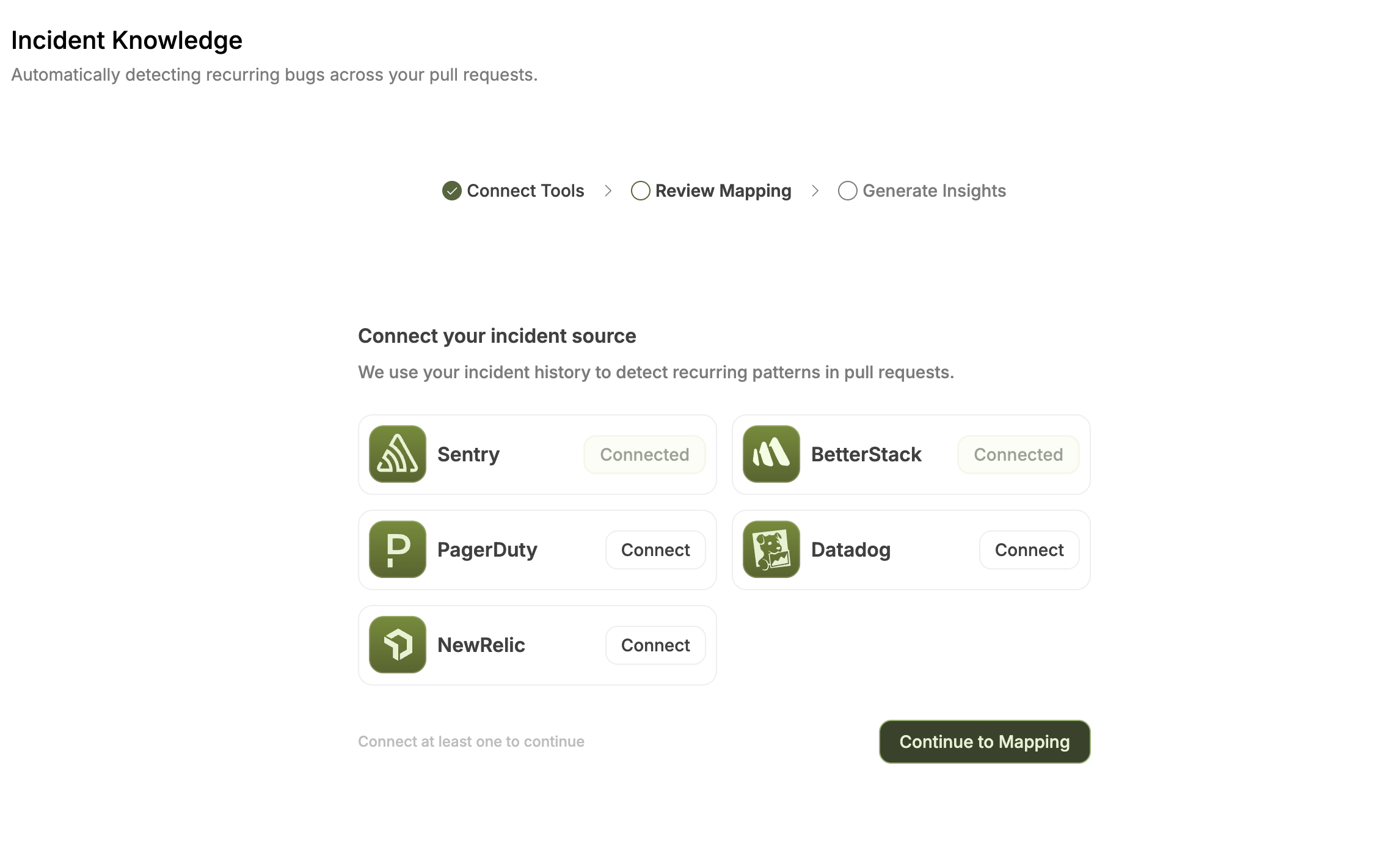
Connect a source
1
Open Incident Knowledge
Open Code Reliability → Incident Knowledge. If onboarding is available, select Setup Incident Tracking.
2
Choose a supported platform
Select Sentry, Datadog, New Relic, BetterStack, or PagerDuty.
3
Authenticate narrowly
Enter the credential requested for that platform and limit it to the approved pilot scope.
4
Continue to mapping
After the platform shows Connected, continue to the mapping step.
5
Confirm and ingest
Review the mappings, leave irrelevant sources unmapped, and confirm to start ingestion.
project:read, event:read, and org:read for the project auth token.
Review source mappings
Each supported source row should map to the repository that owns the affected code.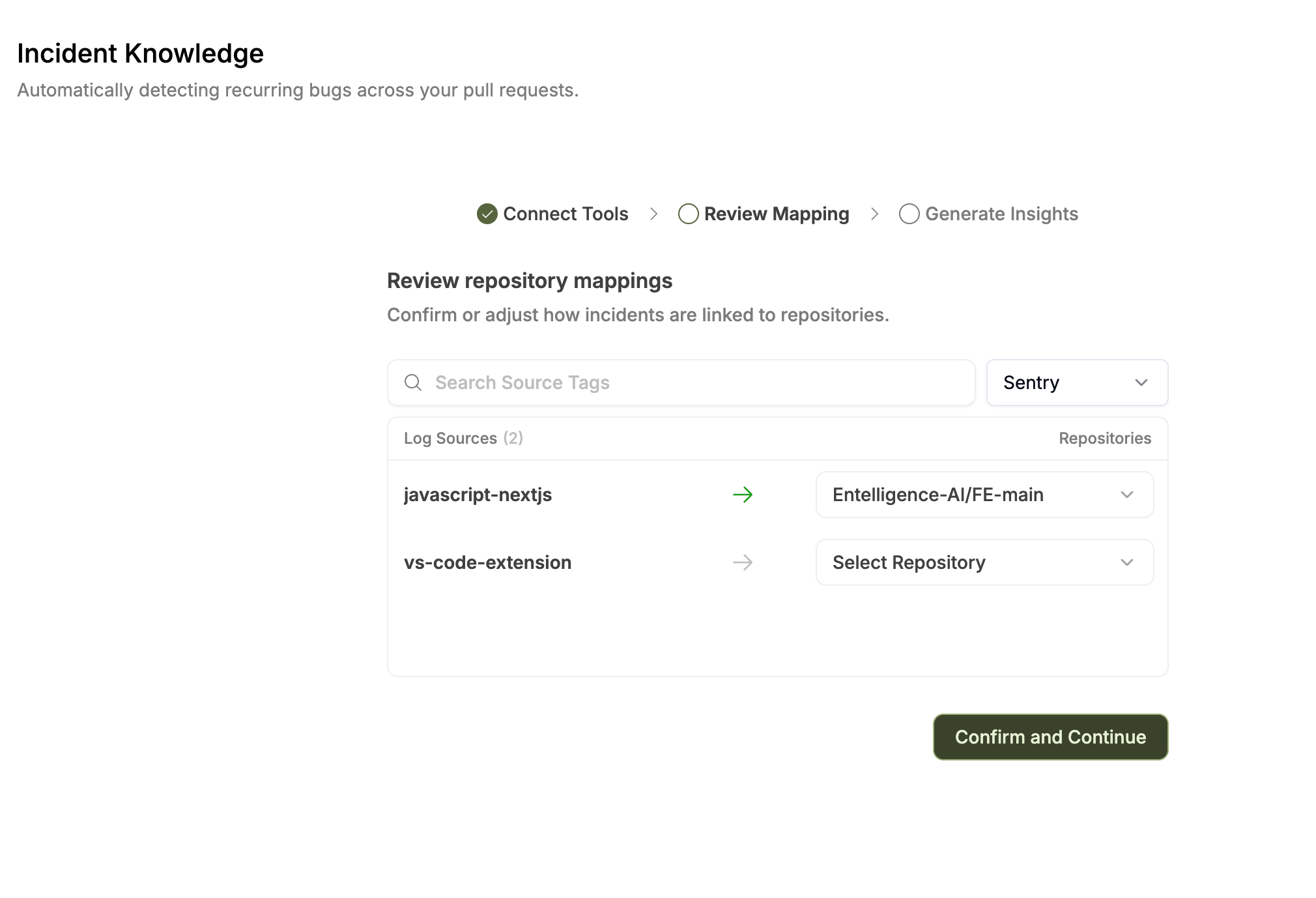
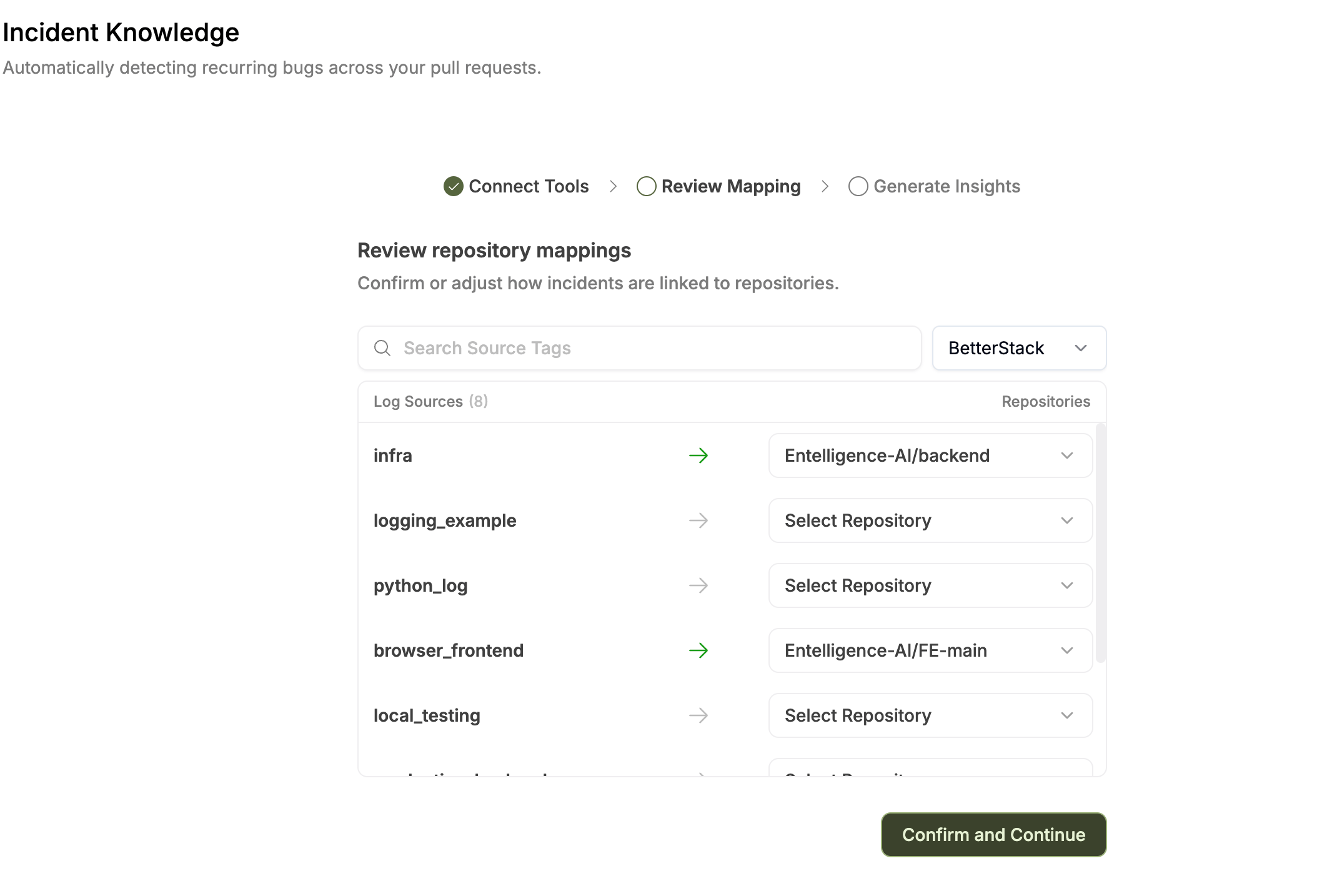
Updating mappings
Mappings can be updated after onboarding. The current guide describes reopening configuration through Re-generate or the onboarding route supplied by the product. Confirming updated mappings starts a new ingestion run. Record the previous state before regeneration because derived patterns can change.Ingestion lifecycle
Ingestion starts when you:- Complete onboarding for the first time
- Confirm updated mappings
- Select Re-generate
Do not interpret a missing result as zero incidents while ingestion is running or failed.
Verify success
- The selected platform shows Connected.
- Only intended projects, services, monitors, applications, or accounts are visible.
- Supported repository mappings are correct.
- PagerDuty is treated as organization-wide.
- One pattern matches source timestamps and evidence.
- Detection count and last activity are plausible.
- Revoking access stops future synchronization.