Cursor
Settings → Team → Cursor can expose an organization API key, automatic user mapping, analytics, and key update or removal. Verify suggested mappings before relying on member-level analytics.Claude Code
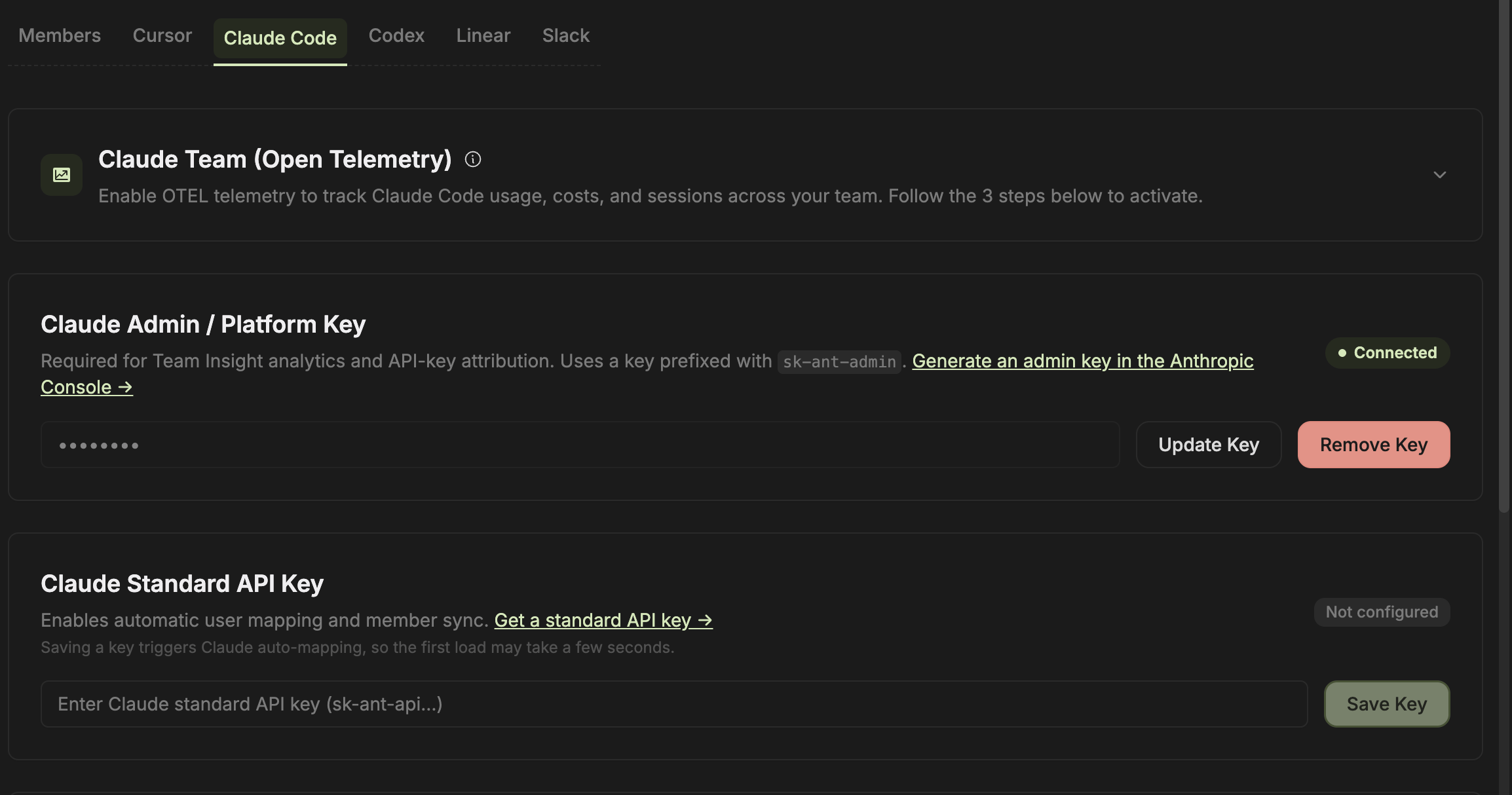
The Claude Code setup can expose:- OpenTelemetry configuration
- Anthropic admin or platform key
- Standard API key
- User mapping
Codex
The Codex setup distinguishes OpenAI Platform organization usage from ChatGPT Enterprise Codex workspace analytics. Choose the source that matches how the organization buys and uses Codex, then verify user mapping.Local CLI collection
Authenticate first:
The combined
entelligence insights --agent workflow can gather supported sessions, prepare the Agent Insights data, synchronize it, and arm the daily workflow. Use entelligence insights schedule --at 09:00 to manage the recurring time.
Exact source availability, arguments, and flags depend on the installed CLI version. Run
entelligence insights --help and the relevant subcommand help before rollout.Verify
- The expected source is included.
- Test activity maps to the right member.
- Tool and model names are plausible.
- Unresolved users remain unresolved instead of being guessed.
- Removing or rotating the credential behaves as expected.