Cursor
The Cursor tab accepts an organization-level API key. After a key is saved, the page fetches Cursor users and runs automatic mapping suggestions. The page also provides a searchable user-mapping list. Recommended sequence:- Save an organization key owned by the workspace.
- Wait for the initial member fetch and mapping pass.
- Review the suggested matches.
- Correct unresolved or incorrect users.
- Compare a pilot user’s Cursor activity with Entelligence analytics.
- Repeat the review after membership changes.
Claude Code
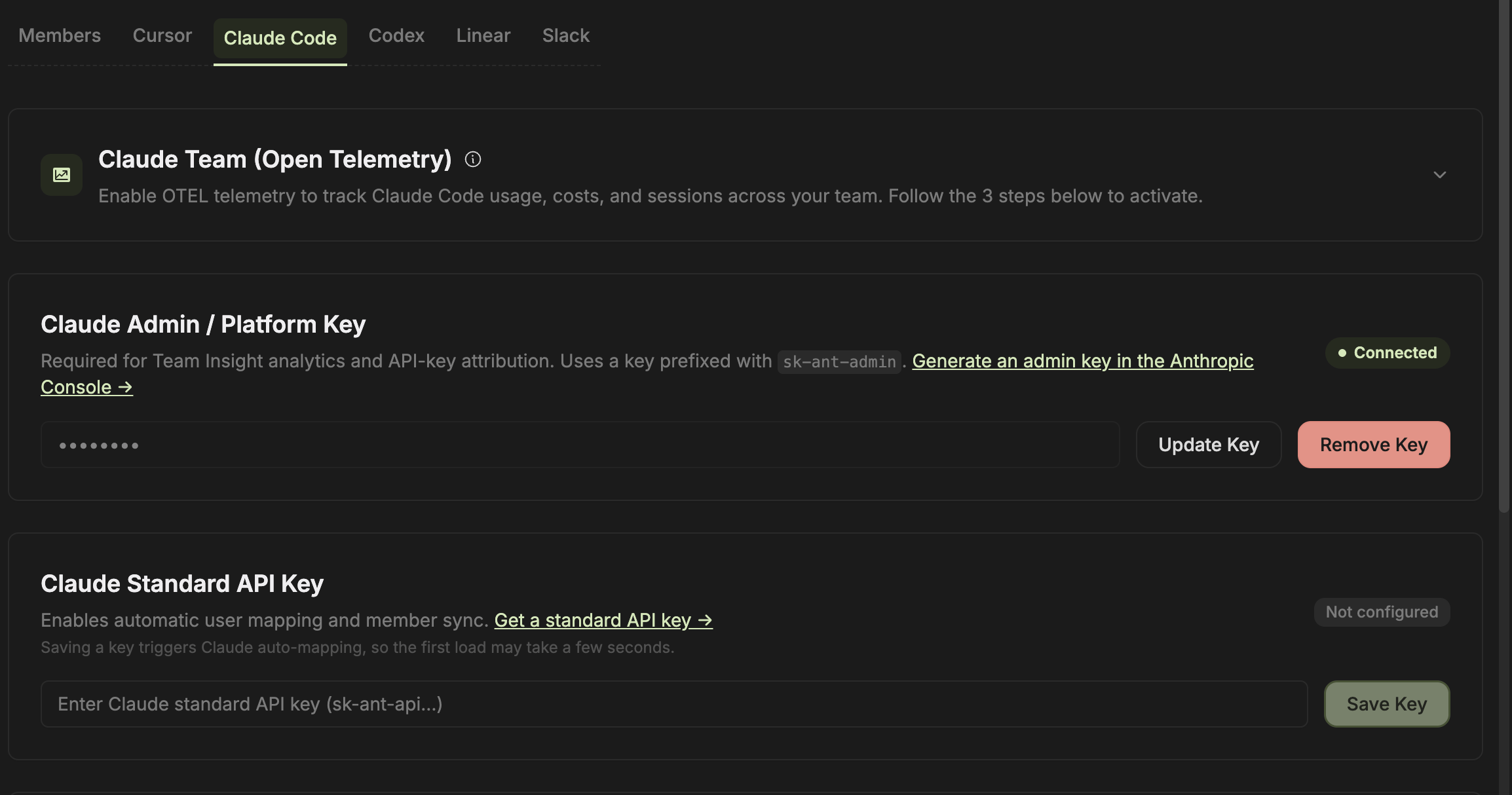
Claude Code supports three collection and mapping components:- Claude Team (OpenTelemetry) tracks Claude Code usage, cost, and sessions across the team.
- Claude Admin / Platform Key powers Team Insight analytics and API-key attribution.
- Claude Standard API Key enables automatic user mapping and member synchronization.
Codex
Use the Codex tab for the account type shown by your workspace. The current setup separates OpenAI Platform organization usage from ChatGPT Enterprise Codex workspace analytics. Configure the matching source, then review the user mappings before relying on team-level reports.Linear
The Linear tab manages user mapping, team import, and sprint synchronization. Refresh after changing Linear membership or teams, then verify the imported teams and selected sprint sources.Slack
The Slack tab maps Slack identities to Entelligence members. These mappings are used for member-specific delivery and Slack experiences. Workspace connection and channel notification settings are managed separately under Settings → Slack Notification.Update or remove a credential
- Identify every dependent dashboard and workflow.
- Prepare the replacement credential.
- Update it during a change window.
- Refresh users and mappings.
- Verify one new source event.
- Remove the old credential only after verification.