Current controls
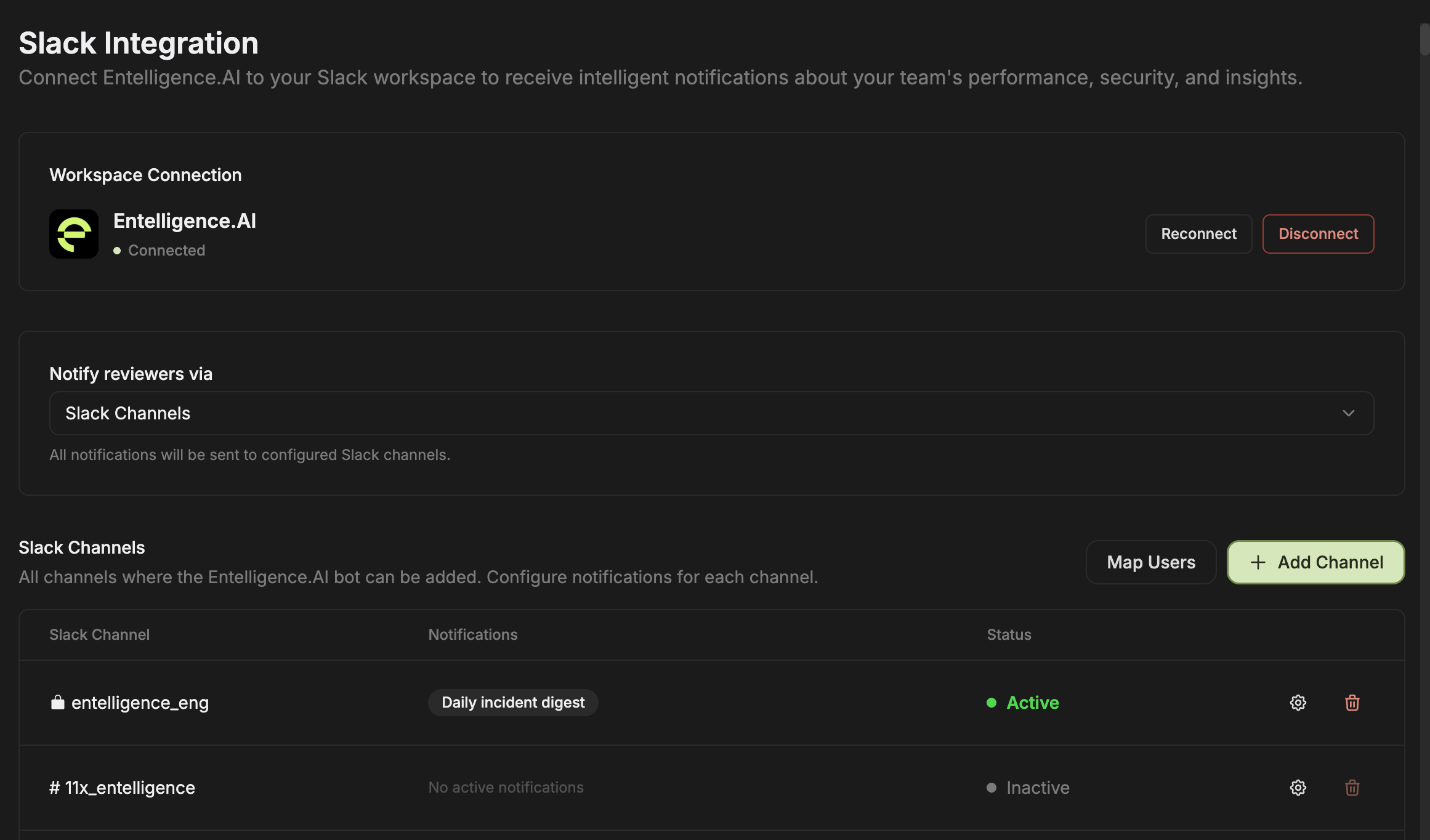
The Slack Notification page provides:- Workspace connection status
- Reconnect and Disconnect
- A delivery selector
- Map Users
- Add Channel
- Channel rows with notification state and status
- Per-channel configuration and removal
Add and configure a channel
- Add the Entelligence app to the intended Slack channel.
- Select Add Channel in Entelligence.
- Choose the channel.
- Open its configuration.
- Enable only the notification types that the current configuration dialog offers.
- Trigger or wait for a test event.
- Verify destination, content, and status.
User mapping
Select Map Users when member-specific Slack delivery or identity-aware behavior is required. Verify ambiguous matches before enabling direct or personalized delivery.Reconnect, disconnect, or remove
Before changing the workspace connection or deleting channel configuration:- Inventory active channels and notification owners.
- Notify channel owners.
- Record the current configuration if recovery is needed.
- Check related Pulses and Reactors for overlapping delivery.
- Reconnect and test one channel before restoring the full set.