> ## Documentation Index
> Fetch the complete documentation index at: https://doc.entelligence.ai/llms.txt
> Use this file to discover all available pages before exploring further.
# Connect incident sources
> Connect a supported Incident Knowledge source, map supported named sources to repositories, and verify ingestion.
Incident Knowledge needs an enabled workspace feature, an authorized supported source, and correct repository mapping before its patterns are trustworthy.
## Prerequisites
* Incident Knowledge is enabled for the organization.
* An administrator can create the required source credential.
* The target repositories are already connected to Entelligence with PR review installed.
* A pilot source and repository are approved.
If the Incident Knowledge page or setup action is missing, contact the Entelligence account owner or support; do not infer access from the general connector catalog.
## Supported sources
The current Incident Knowledge guide documents:
| Platform | Credential | Mapping behavior |
| ----------- | --------------------------------------------------------------------------------------------------------------- | -------------------------------------------------------- |
| Sentry | Project auth token | Projects map to repositories |
| Datadog | API key and application key | Services or monitors map to repositories |
| New Relic | Use the credential required by the current Entelligence setup; confirm whether a New Relic user key is required | Applications or entities map to repositories |
| BetterStack | Personal access token | Monitors or uptime checks map to repositories |
| PagerDuty | API key | No source-level mapping; incidents are organization-wide |
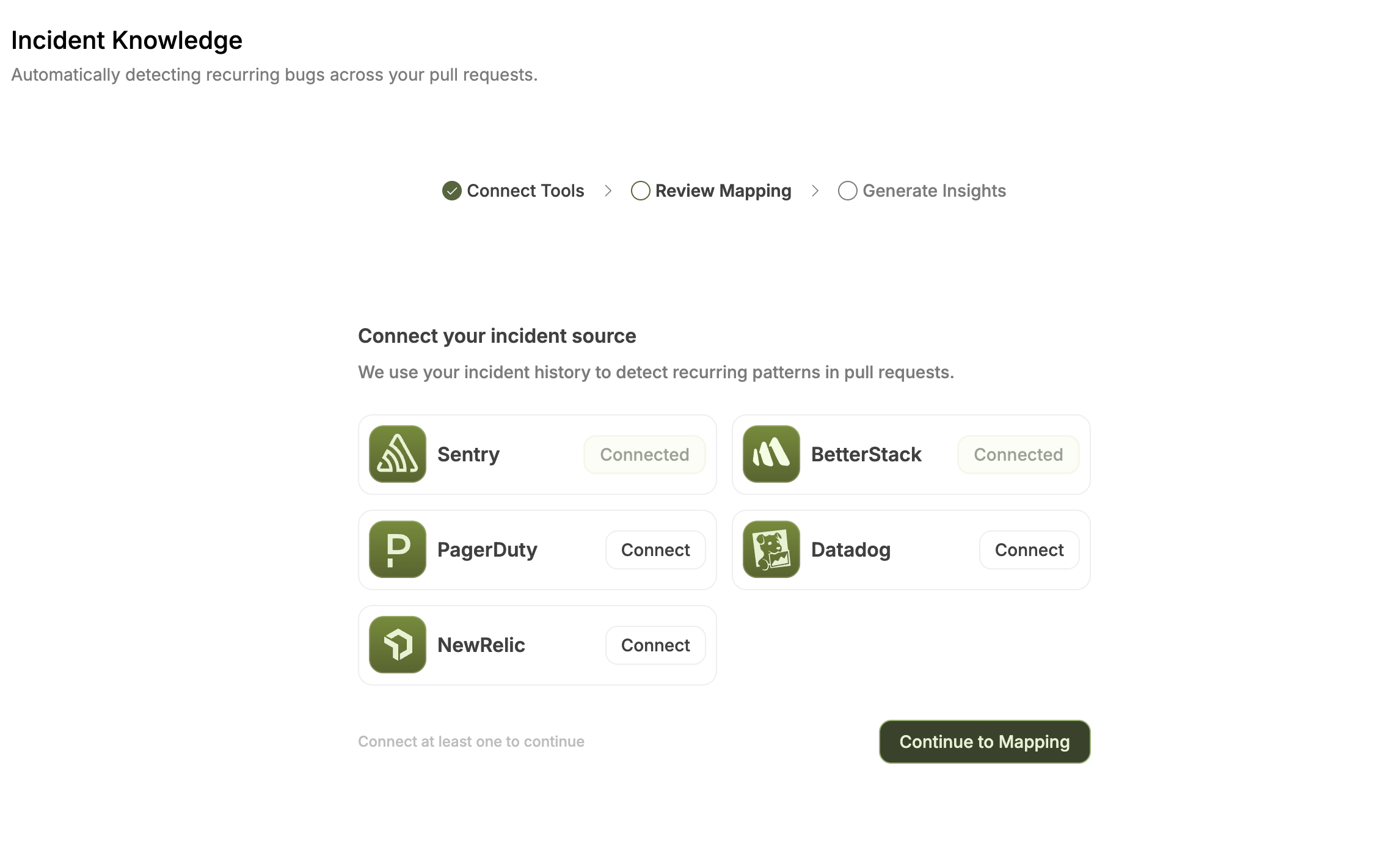 The broader **Connectors → Observability** catalog contains additional products. Those catalog entries are not automatically supported as Incident Knowledge sources.
The current Entelligence Incident Knowledge guide describes a New Relic license or ingest key, while New Relic documents license keys for data ingest and a user key for NerdGraph queries. Use the credential requested by the current Entelligence setup and confirm the requirement with Entelligence before granting New Relic access.
## Connect a source
Open **Code Reliability → Incident Knowledge**. If onboarding is available, select **Setup Incident Tracking**.
Select Sentry, Datadog, New Relic, BetterStack, or PagerDuty.
Enter the credential requested for that platform and limit it to the approved pilot scope.
After the platform shows **Connected**, continue to the mapping step.
Review the mappings, leave irrelevant sources unmapped, and confirm to start ingestion.
For Sentry, the current setup guide specifies `project:read`, `event:read`, and `org:read` for the project auth token.
## Review source mappings
Each supported source row should map to the repository that owns the affected code.
The broader **Connectors → Observability** catalog contains additional products. Those catalog entries are not automatically supported as Incident Knowledge sources.
The current Entelligence Incident Knowledge guide describes a New Relic license or ingest key, while New Relic documents license keys for data ingest and a user key for NerdGraph queries. Use the credential requested by the current Entelligence setup and confirm the requirement with Entelligence before granting New Relic access.
## Connect a source
Open **Code Reliability → Incident Knowledge**. If onboarding is available, select **Setup Incident Tracking**.
Select Sentry, Datadog, New Relic, BetterStack, or PagerDuty.
Enter the credential requested for that platform and limit it to the approved pilot scope.
After the platform shows **Connected**, continue to the mapping step.
Review the mappings, leave irrelevant sources unmapped, and confirm to start ingestion.
For Sentry, the current setup guide specifies `project:read`, `event:read`, and `org:read` for the project auth token.
## Review source mappings
Each supported source row should map to the repository that owns the affected code.
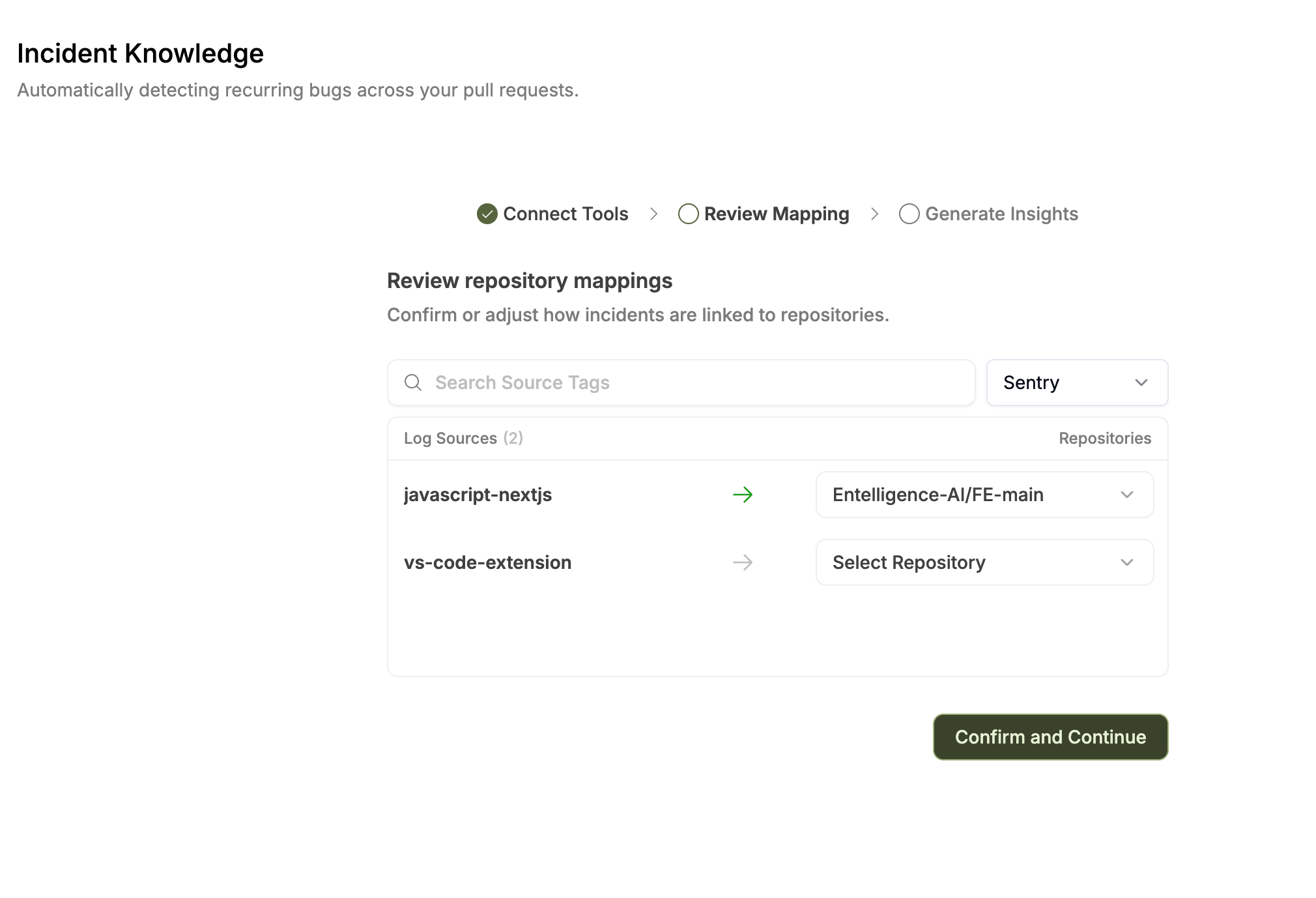
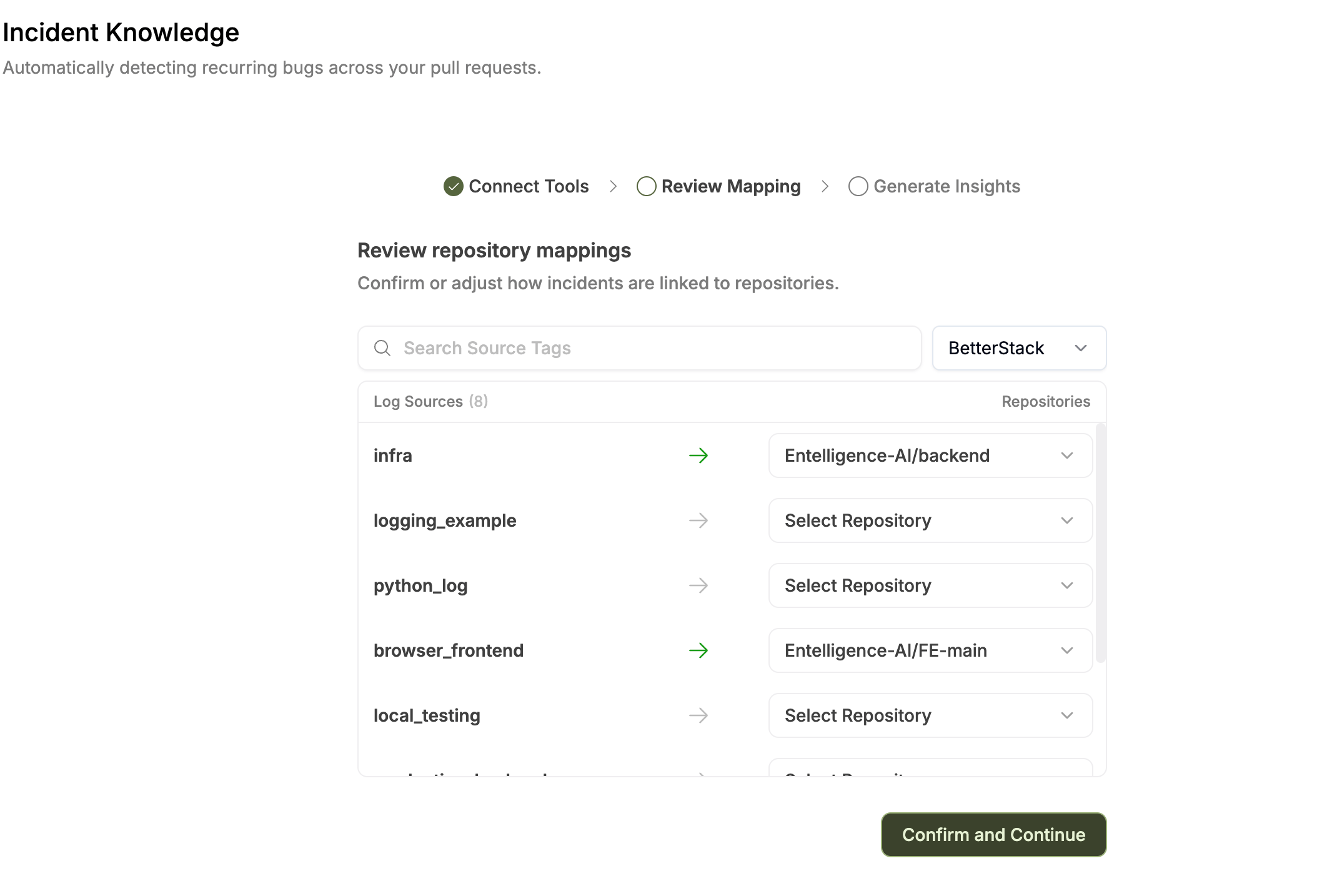 Use the source search and platform filter when available. A mapped row is indicated separately from an unmapped row. Leave a source unmapped when no repository relationship is justified.
PagerDuty is the exception: the current guide states that PagerDuty incidents are associated with the organization rather than mapped per source to a repository.
## Updating mappings
Mappings can be updated after onboarding. The current guide describes reopening configuration through **Re-generate** or the onboarding route supplied by the product. Confirming updated mappings starts a new ingestion run.
Record the previous state before regeneration because derived patterns can change.
## Ingestion lifecycle
Ingestion starts when you:
* Complete onboarding for the first time
* Confirm updated mappings
* Select **Re-generate**
The service analyzes merged pull requests for mapped repositories, incidents within the configured lookback window, and correlations between code changes and incident timelines.
| Status | Meaning |
| ------------- | ------------------------------------------------------------ |
| `in_progress` | Ingestion or analysis is running |
| `completed` | Analysis finished and derived patterns are available |
| `failed` | The run stopped; inspect the displayed error before retrying |
Do not interpret a missing result as zero incidents while ingestion is running or failed.
## Verify success
* The selected platform shows **Connected**.
* Only intended projects, services, monitors, applications, or accounts are visible.
* Supported repository mappings are correct.
* PagerDuty is treated as organization-wide.
* One pattern matches source timestamps and evidence.
* Detection count and last activity are plausible.
* Revoking access stops future synchronization.
## Protect production data
Logs and incidents may contain credentials, personal data, customer content, or internal infrastructure details. Redact at the source, use the narrowest credential scope, and confirm retention, region, and support-access commitments.
## Next step
Learn [Incident Knowledge patterns](/code-reliability/incidents) or [investigate a fix](/code-reliability/fixes).
Use the source search and platform filter when available. A mapped row is indicated separately from an unmapped row. Leave a source unmapped when no repository relationship is justified.
PagerDuty is the exception: the current guide states that PagerDuty incidents are associated with the organization rather than mapped per source to a repository.
## Updating mappings
Mappings can be updated after onboarding. The current guide describes reopening configuration through **Re-generate** or the onboarding route supplied by the product. Confirming updated mappings starts a new ingestion run.
Record the previous state before regeneration because derived patterns can change.
## Ingestion lifecycle
Ingestion starts when you:
* Complete onboarding for the first time
* Confirm updated mappings
* Select **Re-generate**
The service analyzes merged pull requests for mapped repositories, incidents within the configured lookback window, and correlations between code changes and incident timelines.
| Status | Meaning |
| ------------- | ------------------------------------------------------------ |
| `in_progress` | Ingestion or analysis is running |
| `completed` | Analysis finished and derived patterns are available |
| `failed` | The run stopped; inspect the displayed error before retrying |
Do not interpret a missing result as zero incidents while ingestion is running or failed.
## Verify success
* The selected platform shows **Connected**.
* Only intended projects, services, monitors, applications, or accounts are visible.
* Supported repository mappings are correct.
* PagerDuty is treated as organization-wide.
* One pattern matches source timestamps and evidence.
* Detection count and last activity are plausible.
* Revoking access stops future synchronization.
## Protect production data
Logs and incidents may contain credentials, personal data, customer content, or internal infrastructure details. Redact at the source, use the narrowest credential scope, and confirm retention, region, and support-access commitments.
## Next step
Learn [Incident Knowledge patterns](/code-reliability/incidents) or [investigate a fix](/code-reliability/fixes).